Goal 2,000 kcal
🌐
TODAY OVERVIEW
Welcome back. Keep building momentum.
Food, movement, weight and body progress in one place.
AI
Private progress tools, practical goals, and clear daily momentum.
Activity logged today
Goal 140 g
Goal 10,000 steps
Add your first analysis
Today’s Energy Balance
See intake and activity together.
0Net calories
Intake0 kcal
Activity0 kcal
Vs. Goal2,000 kcal left
Log your first meal or activity to see today’s status.
Quick Actions
Jump straight into what you need.
Recent Meals
AI photo analysis or manual entries.
Recent Activity
Your latest workouts and movement.
FREE LEARNING CENTER
View all resources →Understand the numbers behind your progress
Use transparent calculators and evidence-aware guides for calories, protein, exercise, meal photos and weight trends.
AI NUTRITION
Food Analysis
Estimate a meal from a photo, add hidden ingredients, and save the final numbers.

AI Food Photo Analysis
Photo-based nutrition estimates.
Free plan0 / 10AI scans used today
10 scans remaining
Portion size, oil and hidden ingredients cannot be measured perfectly from a photo.
Analysis Result
Review the estimate and add anything the camera could not see.
Upload a photo to see the result here.
Quick Manual Entry
Log a meal immediately without AI.
MOVEMENT
Exercise & Burn
Estimate exercise calories using your current weight and the MET formula.

Exercise Calorie Calculator
Approximate estimate using MET values.
Estimated Burn0 kcal
How Long to Burn It?
Estimated time based on your current weight.
My Transformation
Track your body, and see your progress with AI
Use consistent progress photos, your measurements and your goals to build a realistic plan.
✦ AI Body Analysis◎ Personalized Plan▣ Private by default
since last analysis
estimated range
last 30 days
last 30 days
1
STEP 1
Progress Photo Guide
This is a guide only. Take the actual photos in Step 2.
Required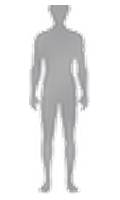 Front
Front
Required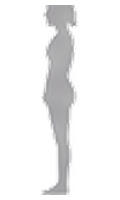 Side
Side
Optional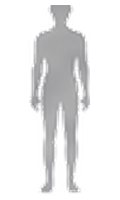 Back
Back
↕Phone around waist–chest height
↔Stand about 2–3 m away
▯Keep head-to-toe in frame
- Use the same good lighting
- Keep the same camera distance and height
- Wear similar fitted clothing
- Compare every 2–4 weeks, not every day
No tripod? No problem.Use a stable household setup and the 10-second hands-free timer.⌄
- Stack sturdy books on a table or shelf to reach waist–chest height.
- Lean the phone securely against a heavy object so it cannot slide or fall.
- Mark your standing spot on the floor so future photos use the same distance.
- Avoid unstable edges, wet surfaces, or anywhere the phone could fall.
Back is optional. Front + Side are enough to start. For a Back photo, frame yourself first, start the 10-second timer, then turn around.
Tip: Stand naturally, feet shoulder-width apart, without flexing.
2
STEP 2
Powered by AIAI Body Composition Analysis
Take new photos now or upload existing photos, then enter your measurements. Measured values improve the estimate.
Required
FrontReady for a new photo
![Front progress preview]()
FrontReady for a new photoRequired
SideReady for a new photo
![Side progress preview]()
SideReady for a new photoOptional
BackReady for a new photo
![Back progress preview]()
BackReady for a new photo✓ Front + Side required○ Back optional⏱ 10-second hands-free timer
Phone tip: Use the in-app timer camera for hands-free full-body photos. If you do not have a tripod, safely prop the phone against sturdy books or a heavy object.
▣ When signed in, progress photos are stored in your private account storage and are not public. Selected photos are sent for AI analysis only when you press Analyze.
🔒
Secure account requiredSign in before taking or saving private progress photos.
Body-fat and body-composition values are estimates for wellness tracking, not medical measurements.
Body Analysis Results
No analysis yet.
Complete Step 2 to calculate BMI, BMR, energy needs and AI progress insights.
AI Insights
Conservative observations and next steps.
Analysis needed.
Before / After Comparison
Uses your real saved progress photos.
Save at least two body analyses to compare your progress.
🔒
How your progress photos are saved & deletedYour photos stay private unless you choose to share something separately.
1
When are photos saved?
After AI Body Analysis succeeds, the photos used for that check are saved privately to your account with the analysis date.
2
Before saving
Use Retake to take the photo again, or Remove to clear the current photo before starting the analysis.
3
Deleting a saved check
Go to Records → Body Analysis History → Delete. The saved Front, Side, optional Back photos and AI analysis for that date are permanently deleted.
Personalized Food & Exercise Plan
Built from your measurements, energy target and goal.
Analysis needed.
Motivation & Badges
Reward consistency, not perfection.
✦
TODAY’S MOTIVATION
Small, repeatable actions beat extreme plans.
One honest check-in today is enough to keep moving forward.
♥
COMMUNITY CORNER
Real progress, real people
A little encouragement from people working on the same kind of goals. Body photos are never required.
Loading…
PERSONALIZE
Goals & Plan
Set realistic calorie, macro and weight targets.
Weight & Nutrition Goals
These targets drive your dashboard.
Weight Progress
Log weigh-ins and use trends, not single days.
CONNECTED FITNESS
Smartwatch
Import CSV/JSON exports or enter today’s totals manually.
Import Smartwatch Data
Works now with simple CSV or JSON exports.
Quick Watch Entry
Enter today’s active calories and steps.
HISTORY
Records
Meals, activity, weight and body-analysis history.
Meal History
Activity History
Weight History
Body Analysis History
REAL PEOPLE
Community Stories
Share what helped, what was hard, and what you learned. No body photos are required.

Share Your Experience
Keep it useful, respectful and free of private medical information.
Community posts are shared through this DietSuccess server. Use a database or persistent disk before large-scale launch.
Latest Stories
Practical experiences from the community.
Loading…
